What a B2B Customer Portal Must Have (Buyer Expectations)
A B2B customer portal is the logged-in area where a trade buyer sees their own negotiated prices, their credit terms, their order and document history, and can reorder without picking up the phone. It is not the same thing as a login box bolted onto a shop front. In Selldi, an all-in-one sales system for wholesalers and distributors, the portal is where the whole relationship lives: after logging in the buyer sees the prices agreed for their company, their payment terms, past orders with amounts that match the invoice to the cent, downloadable pro-forma documents, one-click reorder, several named carts, a delivery-address book, dedicated offers the moment a rep quotes them, and complaints tied to the exact order lines they received. The rule of thumb is simple: everything a buyer would otherwise email or call about should be answerable in the portal without a human on your side. That is the difference between a portal that decorates your website and one that actually runs your wholesale business.
The portal is the front door of the relationship
Picture a purchasing manager at a mid-sized distributor placing their third order of the week at 7 a.m., before the phones on either side are staffed. They are not browsing. They know exactly what they want, they want to see the price their company actually pays, and they want to be sure the number they click today is the number that lands on the invoice. In that moment they are judging you as a supplier. A slow, generic, retail-flavoured login area tells them you treat wholesale as an afterthought. A portal that opens straight onto their prices, their history and a reorder button tells them you take their business seriously.
This is why buyers judge the supplier by the portal even before they judge the goods. The portal is the part of you they touch every single day. Warehouses and delivery vans matter enormously, but the buyer experiences them a few times a month; the portal they experience every time they need something. When it is quiet, fast and correct, it quietly builds trust. When it forces a phone call to confirm a price or chase a document, it slowly erodes it.
A login box on a webshop is not a trade portal
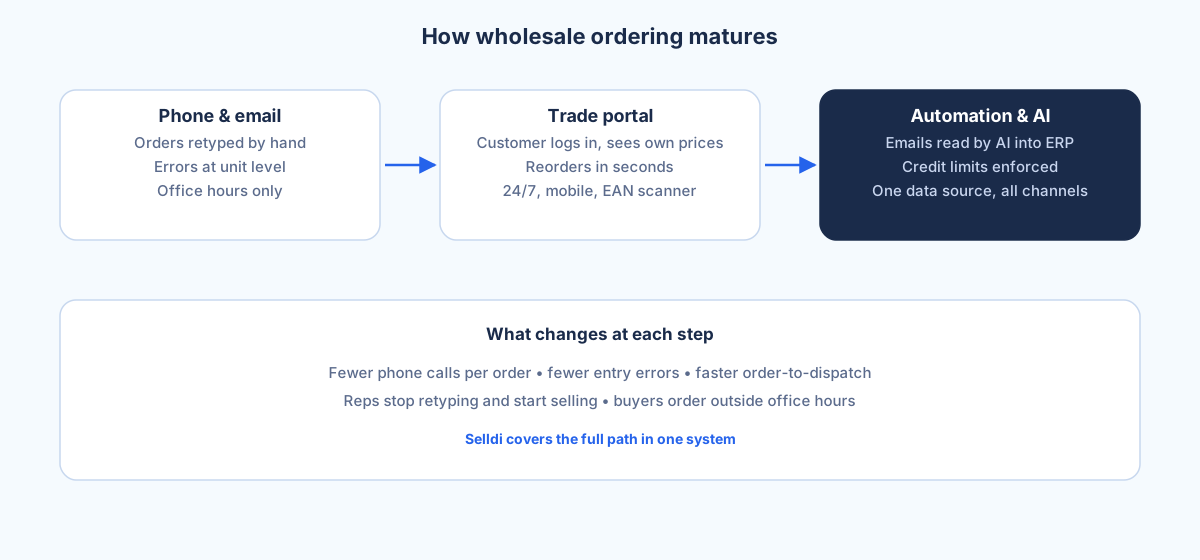
Plenty of platforms let a business register and log in, and then show everyone the same list price with a company field on the invoice. That is a login box, not a trade portal. A real B2B portal understands that the buyer is a company, not a person, and that the company has a commercial agreement behind it. In Selldi that agreement shows up concretely: the buyer sees their own price for each product, not a public one; their credit limit and payment days are honoured, so a customer on 30-day terms checks out on terms and a customer without credit does not; and a dedicated offer prepared by their rep appears in the portal as soon as it is quoted, already priced, with no separate email attachment to open and no ambiguity about whether it is still valid.
The same logic runs through the smaller features. A wholesale order is often built over days, so a buyer can keep several named carts side by side, one per project or per branch, without them colliding. Delivery goes to more than one place, so the portal keeps an address book instead of asking the buyer to retype a warehouse address every time. Multiple named users from one company can have their own logins, so the person who orders and the person who approves are not sharing a password. None of this is exotic. It is simply what a buyer who runs a real purchasing operation quietly expects, and notices the absence of.
Self-service that actually reduces phone calls
The clearest test of a portal is whether your phone rings less after you turn it on. Most of the calls a wholesaler fields are not about buying at all. They are about status: where is my order, can I get the pro-forma again, did you change my delivery address, what did I order last March. Every one of those is a lookup, and every lookup a buyer can do themselves is a call your team never has to take.
In Selldi the buyer can pull their full order history and see real gross amounts, download the pro-forma PDF for any order, reorder a past order in one click, and manage their own delivery addresses. A buyer who forgot to file the document you sent does not email you for a copy; they open the order and download it. A buyer moving stock to a new branch adds the address themselves. Reorder in particular changes the rhythm of the account: a recurring purchase that used to be a phone call becomes a few seconds in the portal, which is better for the buyer and cheaper for you. The point of self-service is not to hide from customers. It is to spend your team's time on the conversations that actually need a human, and let the routine take care of itself.
The trust details that separate good from good enough
Two small things do more for trust than any amount of polish. The first is numbers that match. If the total in the order history reads differently from the pro-forma, or the amount the buyer approved in the cart differs from what the invoice shows, the buyer stops trusting the portal and starts double-checking everything by phone, which defeats the purpose. Selldi is deliberate about this: the gross amount shown in history is the amount the buyer confirmed at checkout, computed the same way, so the figures reconcile to the cent.
The second is language. An export buyer in Athens or Milan should see order statuses and screens in their own language, not in yours. Selldi runs in eight languages with multi-currency support for EU cross-border trade, so a status that reads clearly to your Polish desk also reads clearly to a buyer abroad. These details are invisible when they are right and corrosive when they are wrong. A portal can have every feature on the checklist and still feel untrustworthy if the numbers wobble or the buyer has to guess what a status means.
Underneath, the portal is not a silo. It connects to any ERP via API, including SAP, Microsoft Dynamics 365 and NetSuite, and shares one warehouse and one customer base with the rest of the system, so the price the buyer sees and the stock behind it are the same the rest of your business works from. Complaints and returns close the loop: an RMA is tied to the actual lines of a real order, so a buyer cannot claim to return an item or a quantity that was never on the order, and your team is not reconstructing what shipped from memory.
When a portal will not fix your problem
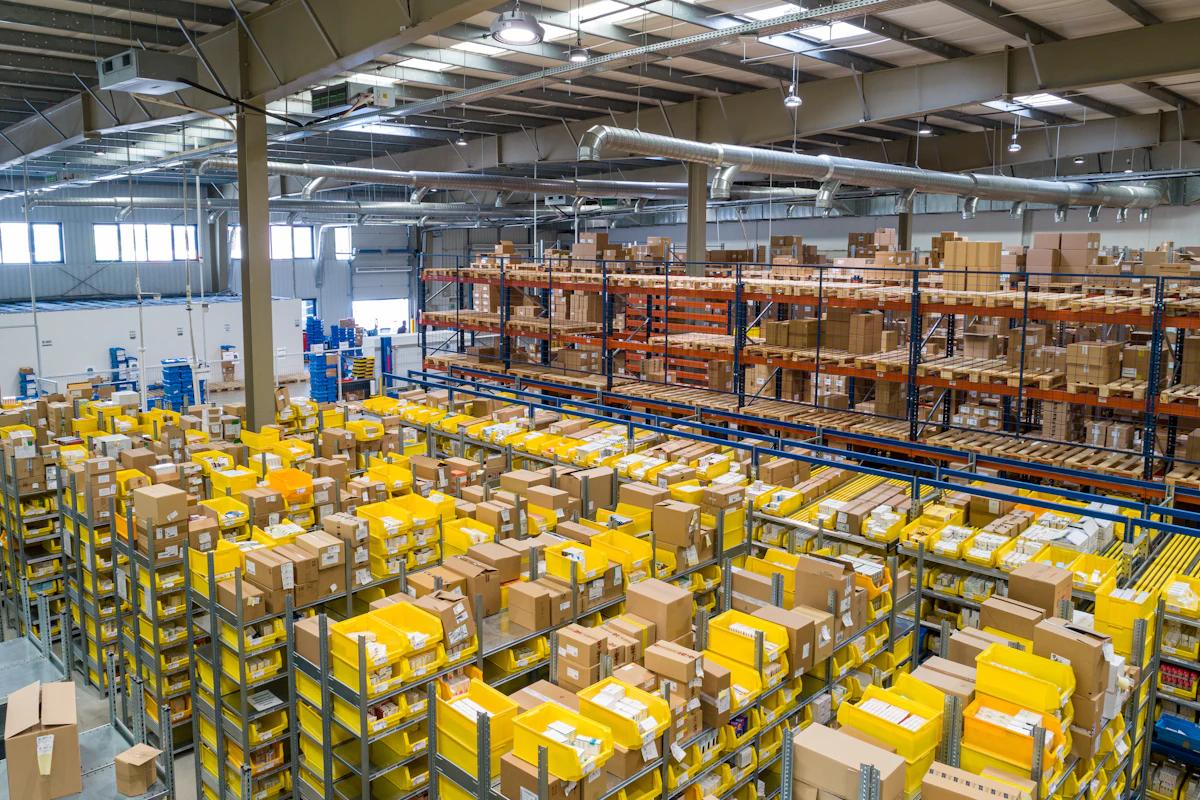
Honesty matters here, because a portal is often sold as a cure for things it cannot touch. A customer portal will not fix bad stock discipline. If your available quantities are wrong in the system, the portal will faithfully show wrong numbers to more people, faster; it makes an inventory problem more visible, not smaller. Nor will it fix slow dispatch. If orders sit for two days before they leave the warehouse, letting buyers place them at 7 a.m. only means they can see, sooner, that nothing has moved. The portal is a window onto your operation, and a clean window over a messy room does not tidy the room.
It also will not replace your reps on the accounts that need a human. The largest, most complex customers still want a person who knows their business, and a good portal supports that rep rather than removing them. Selldi leans into this by showing the buyer their assigned rep and the store's real contact data in the portal, so self-service and human service point at the same place instead of competing. Treat the portal as the thing that handles the routine so your people can handle the exceptions, and it earns its keep. Treat it as a substitute for running a tidy warehouse and a fast dispatch, and it will only expose the gaps.
Frequently asked questions
Can one company have several users in the portal?
Yes. A single trade account can have multiple named users with their own logins, so the person who places orders and the person who approves them do not share a password. Each user works under the company's agreed prices and credit terms.
Can a buyer see stock levels in the portal?
The portal shares one warehouse with the rest of the system, so availability shown to the buyer reflects the same inventory your team works from. How much detail you expose is your decision; the important point is that what the buyer sees is not a separate, drifting number.
What documents can a buyer download themselves?
Buyers can open any past order and download its pro-forma PDF, and browse their full order history with real gross amounts. That covers the most common reason customers call back, so those requests stop reaching your desk.
How do dedicated offers appear to the buyer?
The moment a rep quotes a dedicated offer, it appears in that buyer's portal already priced and ready to order, with no separate attachment to open. The buyer sees exactly the price agreed, which removes the usual back-and-forth about whether an emailed quote is current.
Does a customer portal reduce phone calls?
It reduces the routine calls, which are most of them: status checks, document copies, address changes and repeat orders all become self-service. It does not remove the calls that genuinely need a rep, and it will not paper over slow dispatch or inaccurate stock.